Alarm.com
- 4.1
- Rating
- 1.00M
- Installs
- Free
- Price

 Analysis by App-foxy
I find Alarm.com most useful when I treat it as the everyday control point for an existing home security system, rather than as a standalone security product. Developed by Alarm.com Mobile, this free Lifestyle app is designed to help customers check in on their Alarm.com setup from a phone. That distinction matters: the app can be convenient, but its usefulness depends heavily on the security service and equipment connected to the account.
In my experience, the biggest frustration is usually not the screen itself. It is the chain behind it: the correct account, an active service, compatible installed equipment, and a phone that can communicate properly with the service. When those pieces line up, the app feels reassuring and practical. When one piece is wrong, it can look as though the app has failed even when the real issue is elsewhere.
What the app is really good at
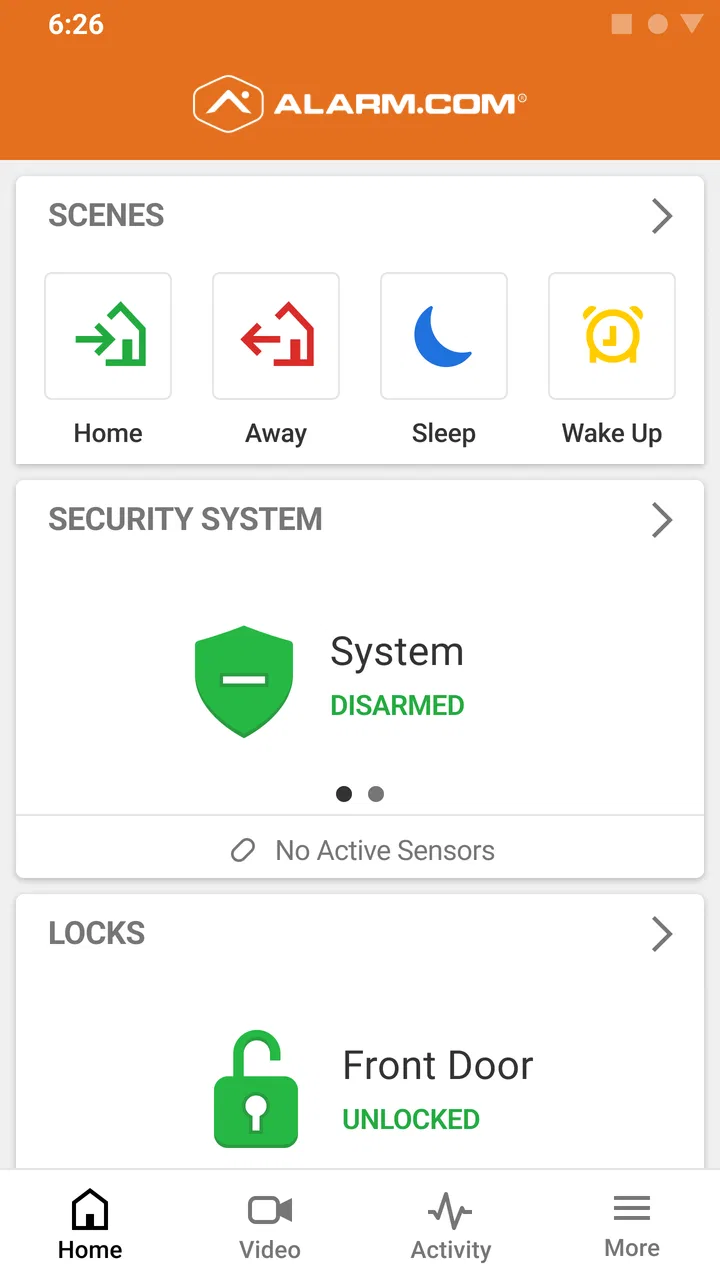
The appeal is simple. Instead of relying only on a wall keypad or waiting until you are physically near the property, you can use your phone to check the status of the security system. That makes it especially handy during ordinary moments: leaving for work, wondering whether the system was armed after driving away, or checking in before going to bed.
You May Also Like

 Blood Strike: 2.5 Anniversary
Blood Strike’s Loadouts Turn Every Drop Into a Tactical Gamble
A close look at Blood Strike’s custom loadouts: how fast access to signature weapons reshapes its battle royale rhythm, rewards preparation, and narrows the gap between fights.

 Pandora - Music & Podcasts
Pandora’s Music Is Easy to Start, but Harder to Recover
Pandora’s strength is its low-effort path from a seed to a station. Its weak spot is how much confidence it asks you to place in connection, setup, and quiet recovery.

 8 Ball Pool
 Is Built on Rivalries, Rematches, and Routine
A close look at the rivalries, rematches, shared routines, and unanswered safety questions that turn a quick pool match into a persistent mobile community.

 Samsung Music
’s Quiet Strength Is Playing What You Already Own
Its reach comes less from spectacle than from dependable access to a personal library. That simplicity is both the app’s strongest retention engine and its ceiling.

 AccuWeather: Weather Radar
AccuWeather Review: A Quick, Clear Forecast for Everyday Decisions
For everyday plans, the best forecast is the one you can understand quickly. AccuWeather makes rain timing, radar, and local conditions easy to act on, with a few trade-offs.

 Hill Climb Racing
Why Hill Climb Racing Still Turns Crashes Into One More Run
A tiny car, a bumpy hill and one more upgrade: Hill Climb Racing keeps resurfacing because its simple chaos makes every near-miss feel personal.
More From Our News Desk



I also like the mental convenience of having a familiar mobile place to begin. A security system can feel complicated when it involves a panel, sensors, service arrangements, and several people in a household. A phone app reduces the number of places I need to look, even though it does not remove the need to understand how the installed system works.
Its position in the Lifestyle category makes sense because this is less about entertainment or general phone productivity and more about fitting security checks into daily routines. The app is free, carries an Everyone age rating, and has attracted over a million installs. Its average rating is 4.2 from around thirty-eight thousand ratings, with roughly eleven thousand written reviews, so it is clearly used by a substantial audience rather than being a niche experiment.
Where people commonly get stuck
The first sticking point is expecting the app to work like a universal security controller. It is not a replacement for an installed Alarm.com service arrangement. If someone downloads it before their account or system has been properly set up, the first experience can be confusing because installing the app alone does not create a complete security setup.
Another common problem is using the wrong sign-in details. In a household, one person may have arranged the service while another person is trying to access it from a different phone. That can lead to repeated password attempts, an apparently empty account, or a screen that does not show the expected system. Before assuming the app is broken, I would confirm that the account belongs to the correct property and that the user has been invited or authorized in the intended way.
There is also a difference between seeing a system and being able to use every part of it. The equipment installed at a property and the permissions assigned to an account can affect what appears in the app. If a family member expects to see the same controls as the primary account holder, disappointment may come from account access rather than from a missing app feature.
A less obvious source of friction is timing. Security information is not always experienced like a static note on a phone. A recent action, a connection change, or an event at the property may take a moment to appear consistently across the system. I avoid tapping repeatedly when a status looks delayed. Repeated commands can make it harder to tell which action actually succeeded.
Checks I make before calling it a failure
My first check is whether the phone has a dependable internet connection. I try a normal webpage or another service, then switch between Wi-Fi and mobile data only if that is practical. If the phone cannot communicate reliably, a security app may appear unresponsive even though the account and equipment are fine.
Next, I confirm the exact account being used. I look for small details such as an extra space in an email address, an old password stored by the phone, or a family member opening a different account than the one linked to the property. I also make sure I am not testing an account that was created for a different location.
After that, I close and reopen the app rather than immediately reinstalling it. A full phone restart can also clear a temporary communication problem. I prefer these low-risk steps because they do not alter the security system itself and do not erase useful context about what happened.
If the app has just been installed, I take a slower approach to the first sign-in. I read each screen carefully, avoid guessing at account details, and check whether the phone is using an outdated saved credential. A clean, deliberate first login is usually more useful than trying several variations quickly.
It is also worth checking the installed system at the property. If the local keypad or another connected device shows a warning, offline condition, or unusual status, that information is important. The phone may simply be reporting a condition that already exists. I would not repeatedly issue remote commands while the local system is displaying an unresolved alert.
A safer way to recover a broken workflow
When something does not look right, I write down what I expected, what the app displayed, and what the local system showed. That small habit prevents vague troubleshooting. For example, “the app did not update after I left” is less useful than noting whether the local panel accepted the action, whether the phone changed networks, and whether the account showed a warning.
I then separate the problem into three questions. Can I sign in? Can I see the correct property? Can I complete the specific action I need? Each answer points to a different type of issue. A sign-in problem suggests account credentials or access. The wrong property suggests account selection or setup. A failed action may involve connectivity, permissions, or the installed equipment.
One practical tip is to avoid changing several things at once. If I reinstall the app, reset a password, switch networks, and change settings in one burst, I lose track of what helped. I prefer one step at a time, followed by a fresh check. This is particularly important with security-related actions, where uncertainty is more serious than inconvenience.
If the app seems stuck on old information, I first compare it with the local system rather than assuming the displayed phone status is current. I refresh only after confirming the connection is stable, then give the service a moment to reflect the latest state. If the local system and the phone continue to disagree, I keep both observations available when contacting the service provider.
For households, I recommend deciding in advance who should use which account and what each person is expected to do. That avoids a rushed situation in which several people attempt different logins or send conflicting commands. A simple shared routine—check the property, confirm the displayed state, and stop if the information conflicts—can be more reliable than treating the app like an ordinary social or messaging application.
When the app is not the cause
Security equipment depends on more than the phone. A property may have a power interruption, a damaged connection, a device that needs attention, or a service-side issue. In those situations, reinstalling the app will not repair the underlying condition. The most useful clue is often whether the local panel or other installed equipment is also reporting trouble.
The phone itself can be another factor. Aggressive battery management, an unstable network, or a device that has not been restarted for a long time can interfere with timely communication. I would begin with ordinary checks rather than changing advanced phone settings blindly. The goal is to restore a dependable connection without creating a new problem.
There is also a human explanation: the person using the app may not have the access needed for a particular task. If the primary user can see something that another household member cannot, I would review the account arrangement with the service provider instead of assuming both phones should behave identically.
For a remote action involving the safety of the property, I would never rely on the app alone when the result is ambiguous. I would verify through the local system or another authorized person, and I would contact the alarm provider if the status remains unclear. A convenient interface is helpful, but it should not replace sensible confirmation when the consequences matter.
Everyday situations where it earns its place
Imagine leaving home in a hurry and realizing halfway to work that you cannot remember whether the system was armed. The app is valuable here because it gives you a way to check without turning around. If the status is clear and the connection is working, that small check can save time and reduce the nagging doubt that follows an incomplete morning routine.
A second scenario is arriving home after a long day and wanting to understand the system’s current state before entering. The useful habit is not to rush through the screen, but to look at the status, compare it with what you expect, and act only when the information makes sense. This is where the app’s simplicity helps, provided the account and equipment are already functioning normally.
It can also help a household coordinate responsibility. One person may leave first, another may return later, and a quick phone check can reduce unnecessary calls about whether the property was secured. The trade-off is that everyone needs a clear understanding of account access and of what to do when the displayed information is delayed or inconsistent.
I would be more cautious about choosing it for someone who wants a completely independent security solution that works without an Alarm.com-connected service. It is also not the best fit for a person who dislikes account-based tools, rarely carries a smartphone, or expects a single download to replace professional installation and local equipment.
How it compares with ordinary alternatives
The usual alternative is the physical keypad at the property. That remains the more direct option when you are standing at the door, especially if the phone battery is low or the network is unreliable. The app’s advantage is distance and convenience; the keypad’s advantage is that it is physically present and less dependent on the phone.
Another alternative is simply calling someone at the property. A phone call can confirm what a person sees locally, but it depends on that person being available and able to interpret the system correctly. Alarm.com is more convenient for routine checks, while a call may be better when the app and local equipment disagree.
Some people may also compare it with a generic smart-home application. Those platforms can be attractive when a household wants one broad interface for unrelated devices. Alarm.com makes more sense when the priority is interacting with an Alarm.com security arrangement. I would not choose a general smart-home app merely because it has more categories; the relevant question is whether it reliably represents the system installed at the property.
The important trade-off is focus. A dedicated security companion can feel clearer than an app crowded with unrelated controls, but it cannot necessarily serve as a universal hub for every device in a home. I prefer it for security-centered routines and would use another tool when the main goal is broad home automation.
What I would want new users to remember
Before depending on the app, I would complete one calm test at home. Sign in, confirm the correct property, compare the phone display with the local system, and learn what a normal status looks like. Doing this before an urgent moment makes later troubleshooting far easier.
I would also keep the service provider’s support route available. The developer is Alarm.com Mobile, but the account and installed equipment are part of a larger service relationship. Questions about access, equipment, or an unresolved system condition may need to be handled through that provider rather than solved inside the app.
Finally, I would treat notifications or status changes as information to verify, not as a reason to panic. Check the phone connection, look at the local system when possible, and avoid repeated actions while the result is uncertain. That approach is more dependable than assuming every delay means an intrusion or every error means the equipment has failed.
My practical verdict
After looking at how it fits into real routines, I see Alarm.com as a useful companion for people who already have a compatible Alarm.com security service and want convenient phone-based access. Its free price and Everyone rating make it easy to try, and its long presence since April 19, 2010, helps explain why it has become a familiar option for many households.
My recommendation is conditional but positive: use it when your account, service, and installed system are already in place, and learn the normal workflow before you need it. The app can make everyday checks quicker and less stressful, yet it cannot correct a disconnected system, missing permissions, or a property-side fault.
For me, the deciding question is not whether it replaces every other security method. It does not. The better question is whether having the system available on a phone improves your routine without encouraging overconfidence. If the answer is yes, Alarm.com is a practical addition. If you need a standalone security product or a broad smart-home controller, I would look elsewhere rather than expecting this focused companion app to become something it was not designed to be.
FAQs for Alarm.com
01What is Alarm.com, and how does it work?
Alarm.com is a comprehensive security and smart home platform that allows users to monitor and control their home or business from anywhere. It integrates various devices like cameras, sensors, and smart locks, providing real-time alerts and remote access through a mobile app. This ensures enhanced security and convenience for users.
02Is Alarm.com compatible with my existing security system?
Alarm.com is designed to be compatible with a wide range of existing security systems. However, compatibility depends on the specific hardware and provider. It's advisable to check with your current security provider or consult Alarm.com’s compatibility resources to ensure seamless integration with your setup.
03What features does Alarm.com offer for home automation?
Alarm.com offers a variety of home automation features, including smart thermostats, lighting control, and garage door management. These features can be accessed and controlled via the app, allowing users to create schedules, automate tasks, and manage energy usage, all contributing to a more efficient and convenient home environment.
04How secure is the Alarm.com platform?
Alarm.com prioritizes security with encrypted communication and robust data protection measures. The platform includes multi-factor authentication and regular software updates to safeguard user information and prevent unauthorized access. Users can feel confident in the platform’s ability to protect their home and personal data.
05What should I do if I encounter issues with Alarm.com?
If you experience issues with Alarm.com, start by checking the app’s online support resources or FAQs. For persistent problems, contact their customer support for technical assistance. Additionally, ensure your app is updated, as many issues are resolved with software updates. For hardware concerns, consult your service provider.
Pros
- User-friendly interface for easy navigation.
- Real-time alerts keep you informed instantly.
- Compatible with multiple smart home devices.
- Customizable settings for personalized experience.
- Reliable customer support available 24/7.
Cons
- Some features require additional subscriptions.
- Occasional connectivity issues reported.
- Limited functionality without internet access.
- Initial setup can be time-consuming.
- App updates sometimes introduce bugs.

Alarm.com
Gallery